Server Configuration
Enable WireGuard
Section titled “Enable WireGuard”Navigate to VPN -> WireGuard -> General
- Check
Enable WireGuard - Click Apply
- Click Apply changes

Local Configuration
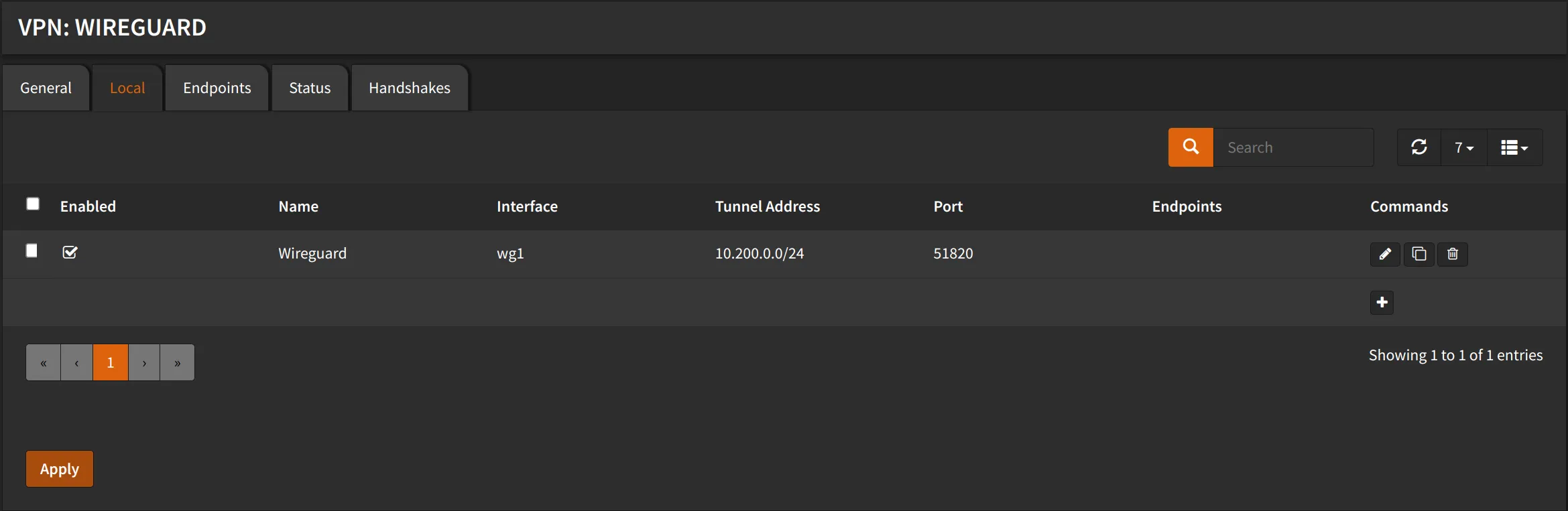
Section titled “Local Configuration”Navigate to VPN -> WireGuard -> Local
- Click ➕
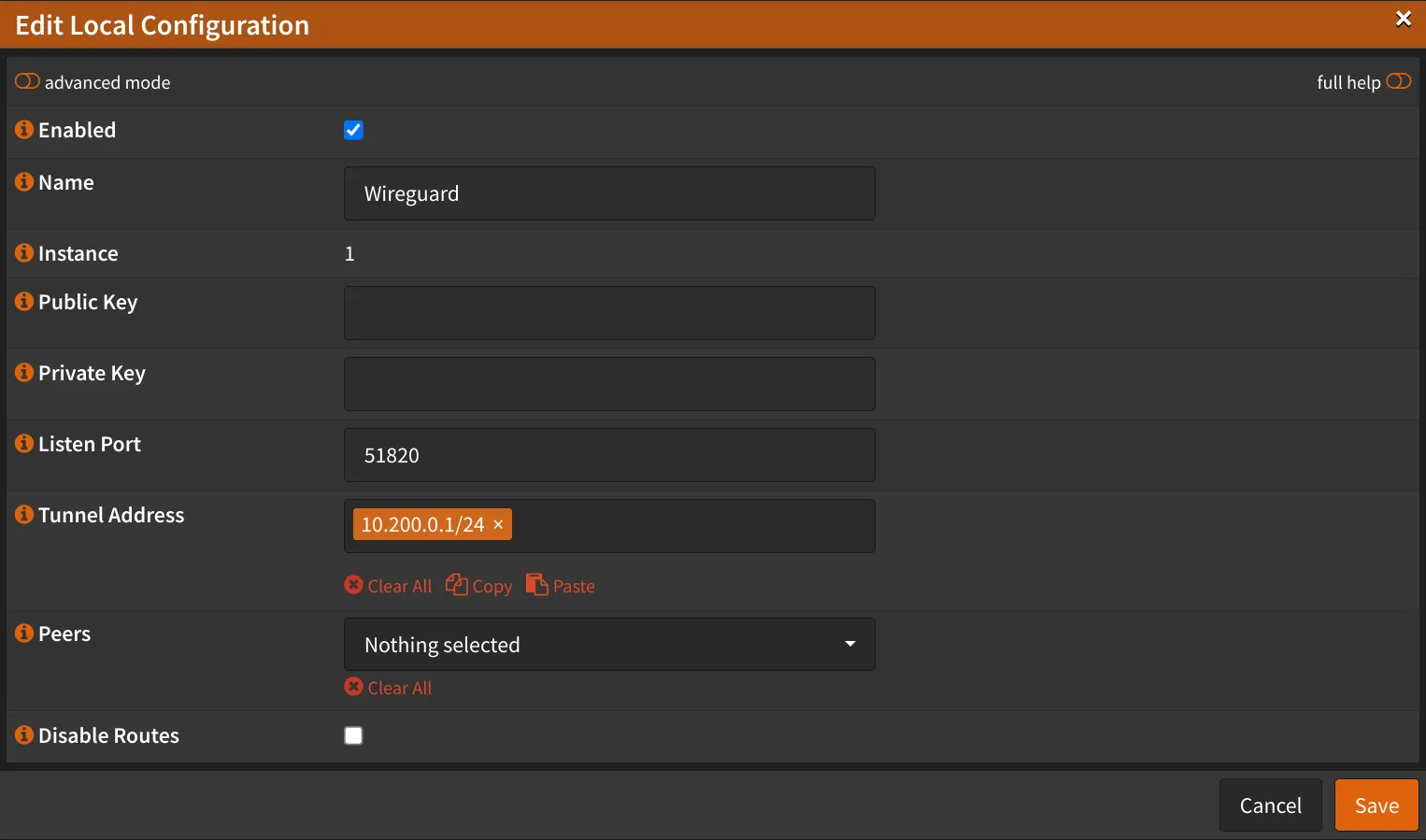
- Check
Enabled - Name:
Wireguard - Public Key: (Leave empty, it will be generated automatically)
- Private Key: (Leave empty, it will be generated automatically)
- Listen Port:
51820 - Tunnel Address:
10.200.0.1/24 - Peers: (Leave empty, we will add them later)
- Uncheck
Disable routes - Click Save
- Click Apply