SSL/TLS Offloading
Overview
Section titled “Overview”We will use HAProxy for SSL/TLS Offloading
Backend
Section titled “Backend”
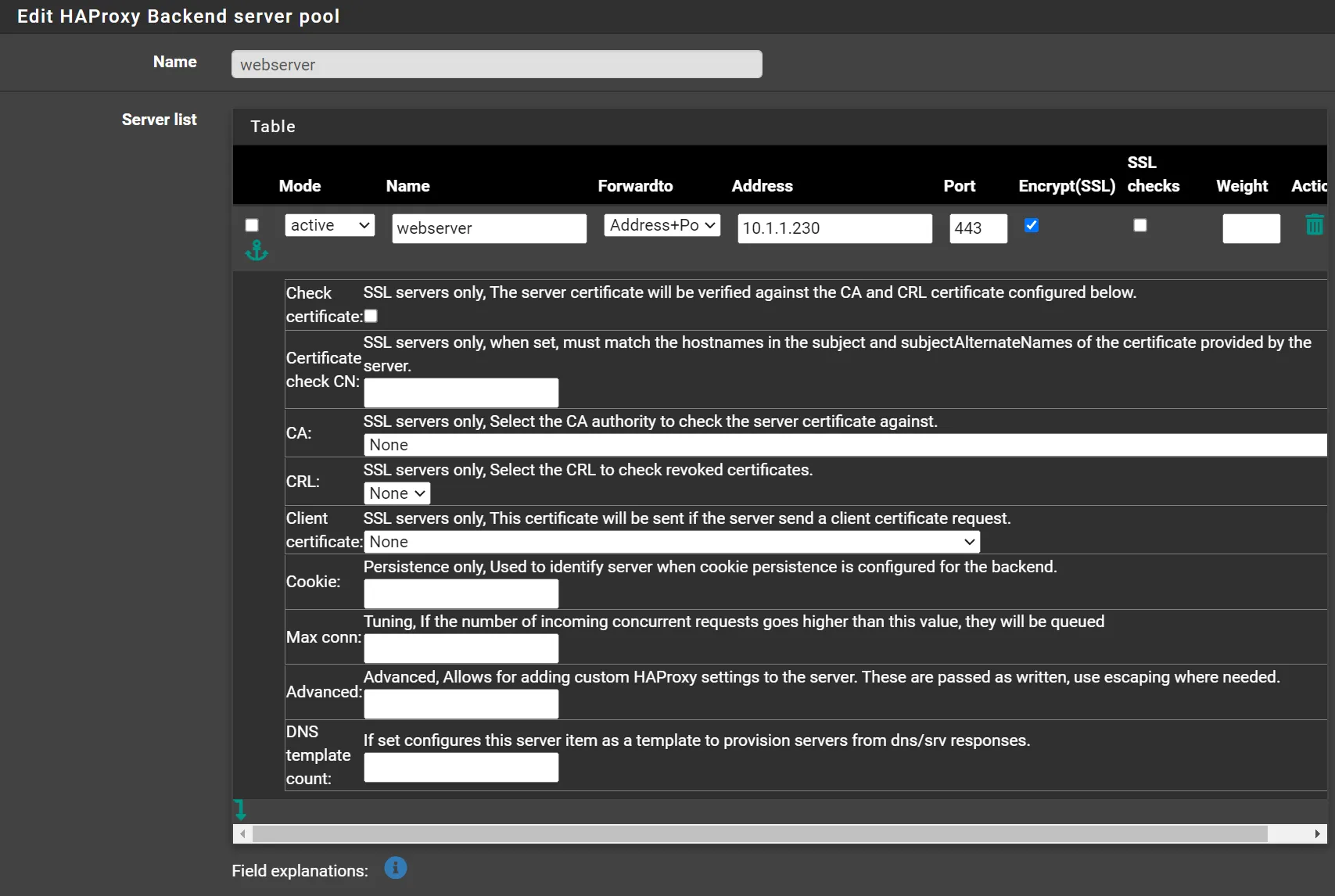
Navigate to Services -> HAProxy -> Backends -> Add
- Name your backend (eg.
webserver) - Click ⤵️ on Server List
- Name:
webserver - Address:
10.1.1.230(Put your webserver IP or hostname) - Port:
443(Or the port your webserver is using) - Encrypt(SSL):
Checked(Unchecked if your webserver does not use https) - SSL Checks:
Unchecked
- Name:
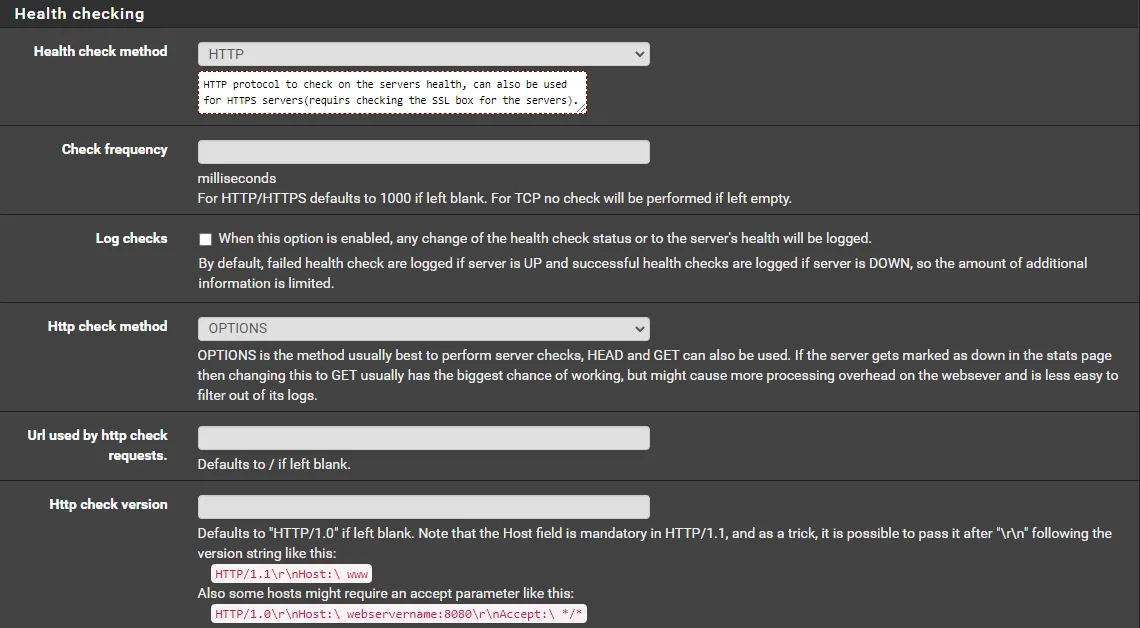
- Health checking
- Health check method:
HTTP - HTTP check method:
OPTIONS
- Health check method:
- Click 💾Save
- Click ✔️Apply Changes
Frontend
Section titled “Frontend”
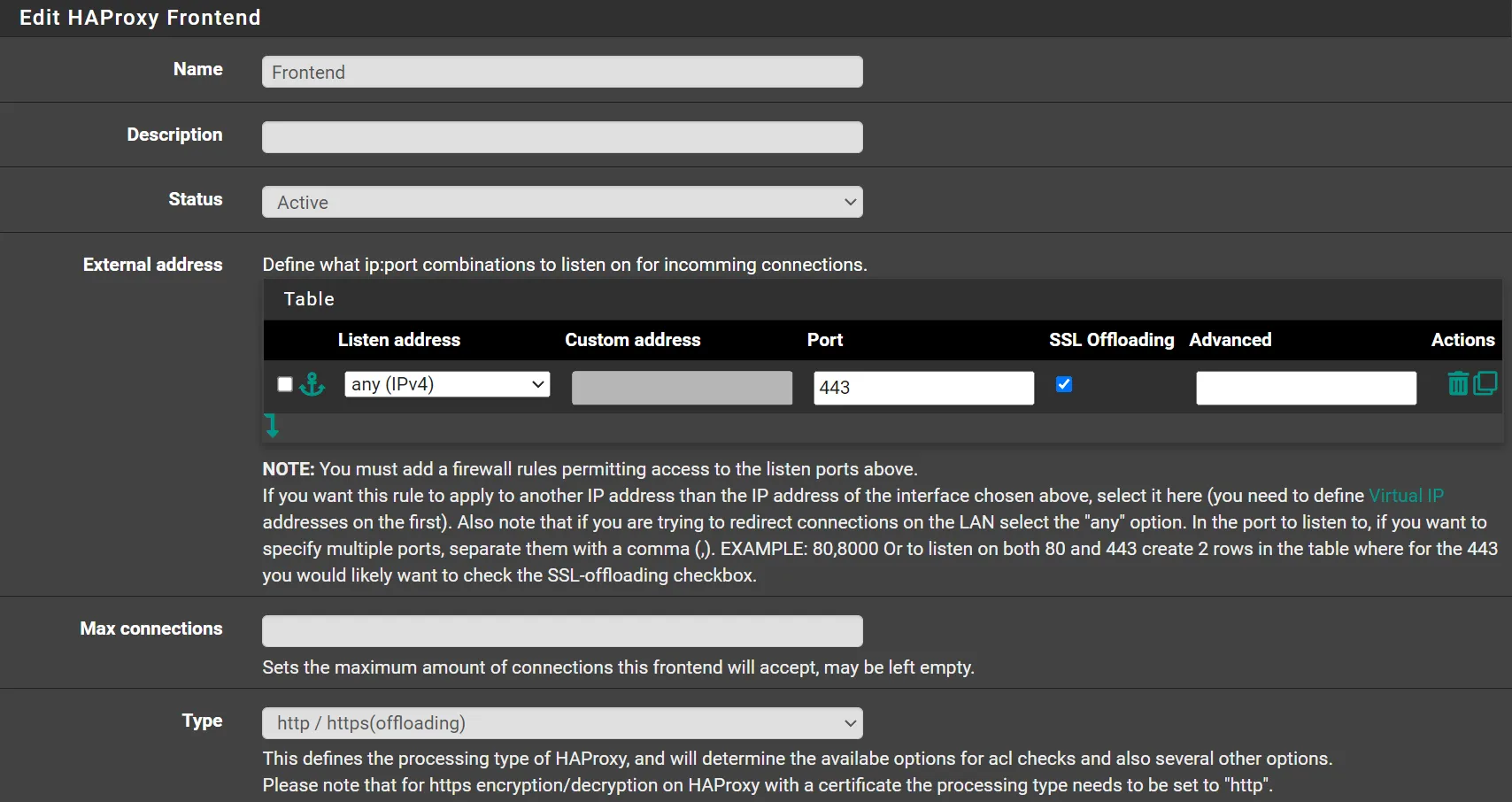
Navigate to Services -> HAProxy -> Frontends -> Add
- Name your frontend (eg.
Frontend) - External Address
- Listen Address:
any(IPv4) - Port:
443 - SSL Offloading:
Checked
- Listen Address:
- Type:
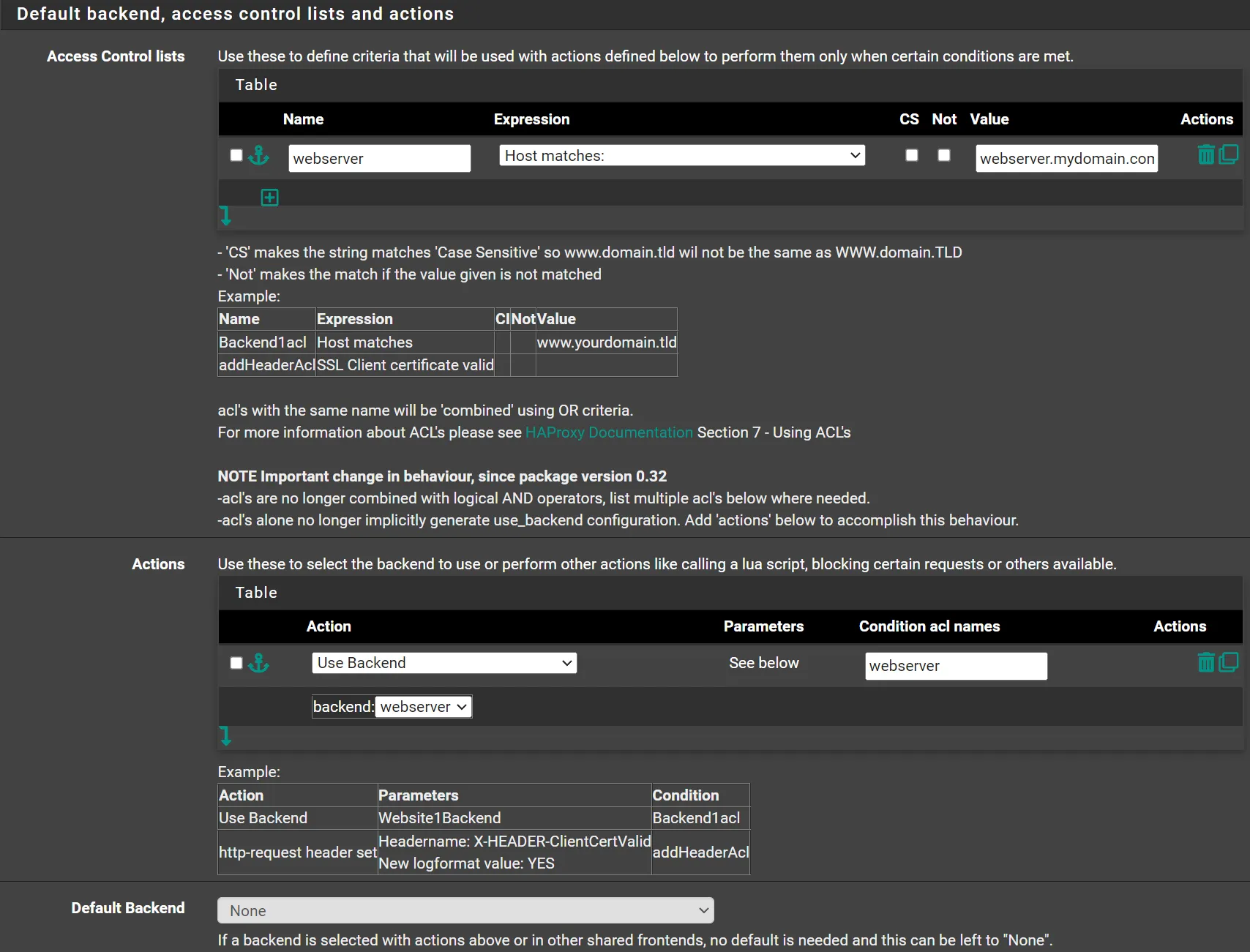
http/https (offloading) - Access Control lists
- Click ⤵️
- Name:
webserver(Pick any name you want) - Expression:
Host matches: - CS:
Unchecked - Not:
Unchecked - Value:
webserver.mydomain.com(put your domain here)
- Actions
- Click ⤵️
- Action:
Use Backend - Condition acl names:
webserver(Use the exact name of one of the ACL’s) - backend:
webserver(Select the backend to redirect when the ACL matches)
- Stats options
- Enable collection & providing separate statistics for each socket:
Checked
- Enable collection & providing separate statistics for each socket:
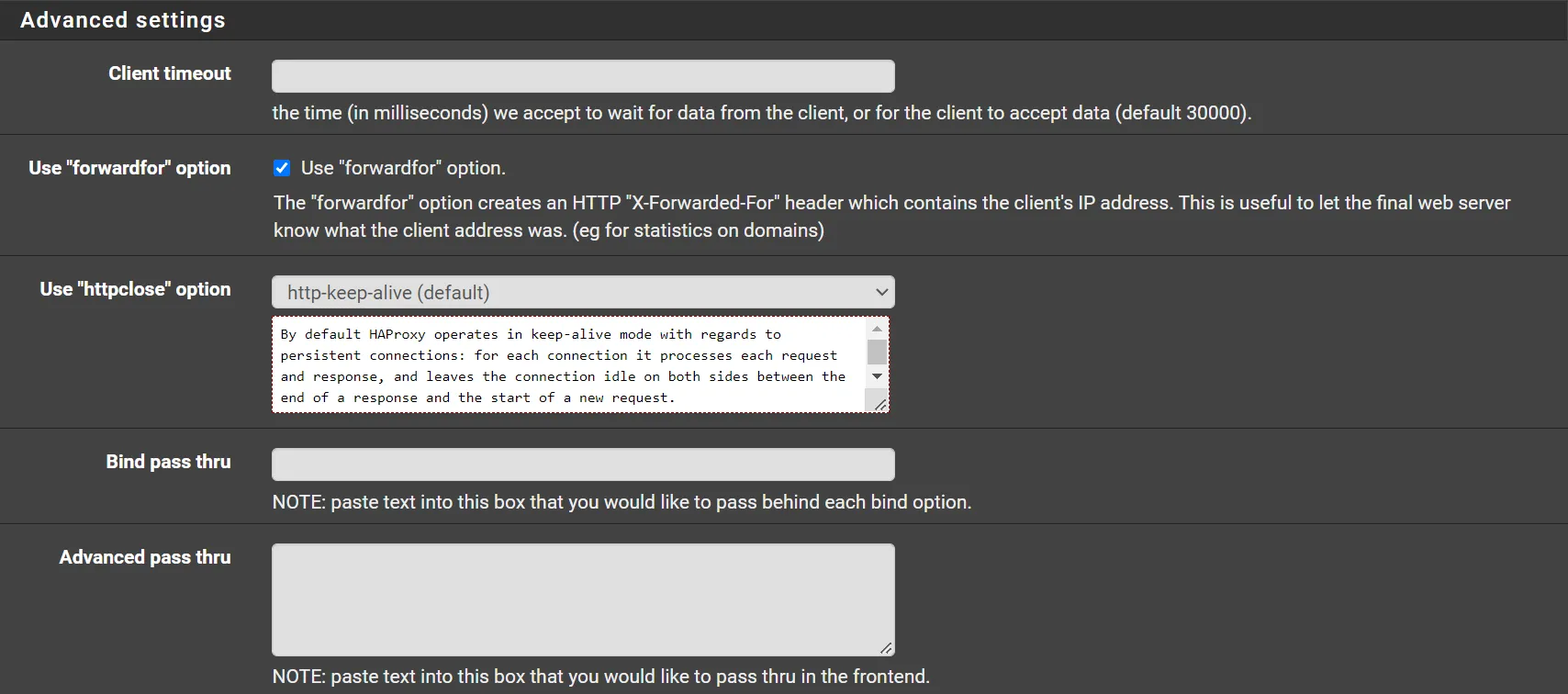
- Advanced Settings
- Use “forwardfor” option:
Checked
- Use “forwardfor” option:
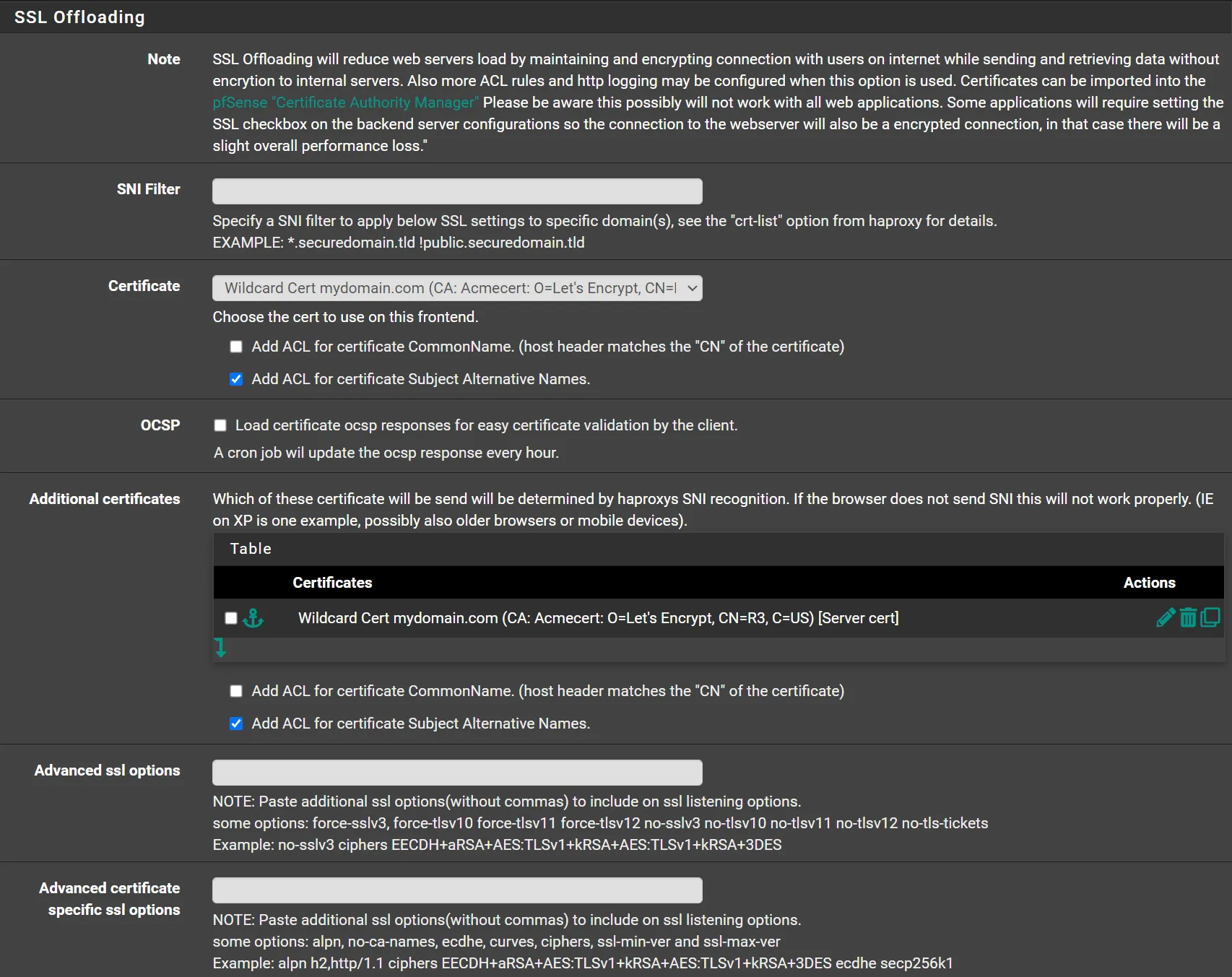
- SSL Offloading
- Certificate: (Select your certificate from the list)
- Add ACL for certificate Subject Alternative Names:
Checked
- Add ACL for certificate Subject Alternative Names:
- Additional certificates
- Click ⤵️
- Select your certificate from the list
- Add ACL for certificate Subject Alternative Names:
Checked
- Certificate: (Select your certificate from the list)
- Click 💾Save
- Click ✔️Apply Changes

Now you should be able to visit webserver.mydomain.com and get a valid certificate.
There is chances that you will be able to reach this webserver from external networks, but not from internal networks.
To solve that, Navigate to Services -> DNS Resolver
- Host Overrides
- Click ➕Add
- Host:
webserver - Domain:
mydomain.com - IP Address:
10.1.1.1(Here you have to put the IP address of HAProxy) - Click 💾Save
- Click ✔️Apply Changes